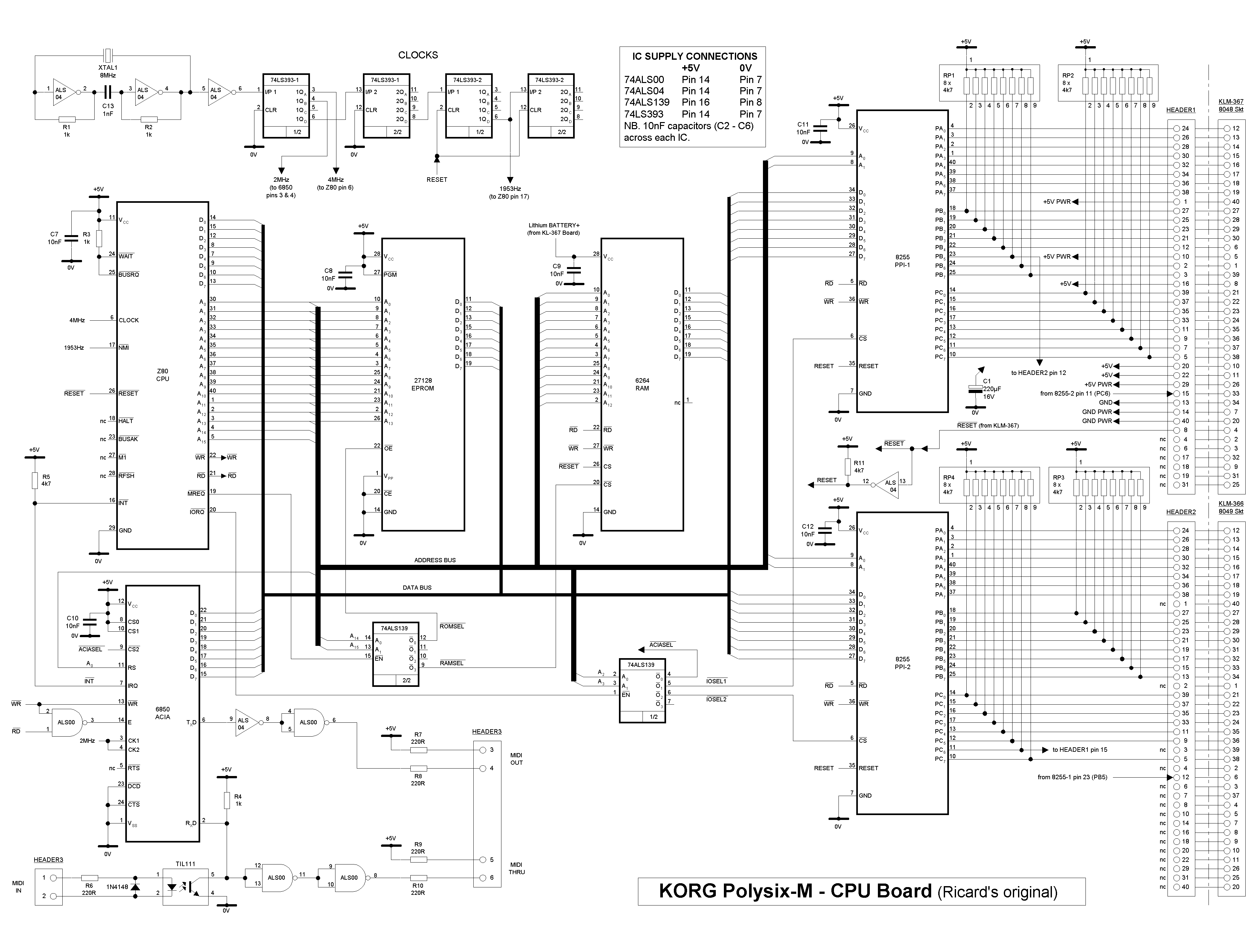
A couple of comments on the schematics. First of all, some of the discrete logic chips have been written as ALS chips; the retrofits I've built use LS chips throughout. Also, the MIDI connector header3 is actually a 14-pin DIL socket. You can of course use any connector you want as long as you get the signals right.
All in all, it's not a terribly complex circuit, but it is easy to get lost in
all the wiring, so if you're building it by hand on veroboard,
I've made a series of
netlists
for the different signals and power lines on the CPU board.
There's also a list
of pin numbers and signals for the wiring between the
two 8255 I/O chips and the Polysix 8048 and 8049 sockets. Also, there
is a detailed drawing of the
MIDI connections, which you'll probably need
even if you're building the PCB design.
(Please note that the pin numbering for the CPU board's MIDI connector
in this diagram does not match the numbering on the schematics above.
Note also that the middle pin
of the OUT and THRU connectors must be connected to ground, whereas
the middle pin of the IN connector must not be connected to ground.)
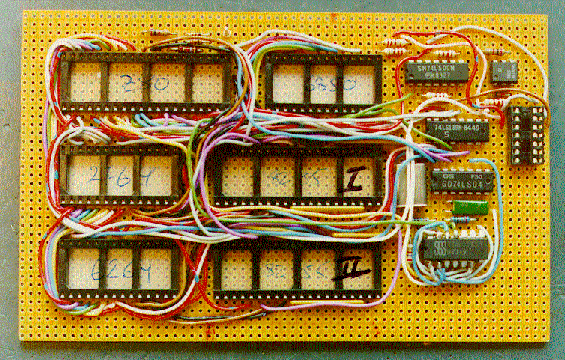
The chips are, from top to bottom: to the left, the Z80, 2764/27128 and 6264.
In the middle, the 6850 and the two 8255's. To the right, the '00 (with
the TIL111 at its side), the '193, the '04 (with the crystal visible
to its left), and finally the two piggybacked '393's. At the far right is
the 14-pin
MIDI connector.
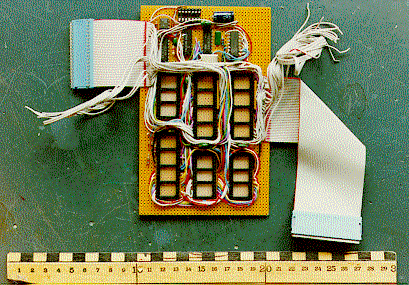
This is what the board looks like with the ribbon cables attached. Note
carefully the orientation of the 40-pin connectors, and the lengths of
the cables: in the picture, the left 40-pin header has its pins upwards, and
the right header has its pins downwards. Also, the unused wires in the
40-pin cables have not been cut yet, lest something has been incorrectly
wired. They should be cut before final installation.
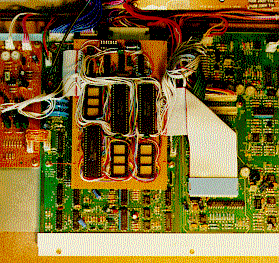
This is what it looks like when installed in the Polysix. In order
to suspend the board above the existing circuit boards in the bottom of the
synthesiser, I used 1mm piano wire which I bent into shape and attached
to four of the existing mounting screws. Note how one of the ribbon cables
wraps around to plug into the 40-pin 8048 socket underneath the board.
Note: in the pictures there are two
diodes and a pullup resistor connected to the CPU reset pin. These are only
needed when used with my Z80 development system, and are not included in the
schematics or netlists.
Back to the Polysix M page.
Veroboard-based design
This is what the
CPU board looks like when built on a 160x100 mm prototype board. Note that
the 220uF filter cap had not been mounted when this picture was taken, and
also that sockets were used for all large chips. 99%
of the signal wiring is on the top, and all power supply wiring is on the
bottom of the board. I used copperless veroboard (no copper strips or
'islands') for the prototype, a method I favour for prototype building.
Note that to save space, the two '393 counter chips have been piggybacked.
PCB-based design
In order to build the CPU board using Martin Wise's PCB layout, you'll
have to download a
.zip file of
the artworks. Within the .zip file, you'll find images of the
copper traces and silk screen for the board,
updated schematics and some notes on how to assemble it all,
including a list of components.
Once completed, the CPU board will look like this. It is mounted in
the same position as the veroboard-based design.

This page is (c) Copyright 1999 by Ricard Wolf
